

Higher and lower timeframe confluence
Combine genuine one-minute impulse with the active 15-minute chart and confirmed one-hour trend.
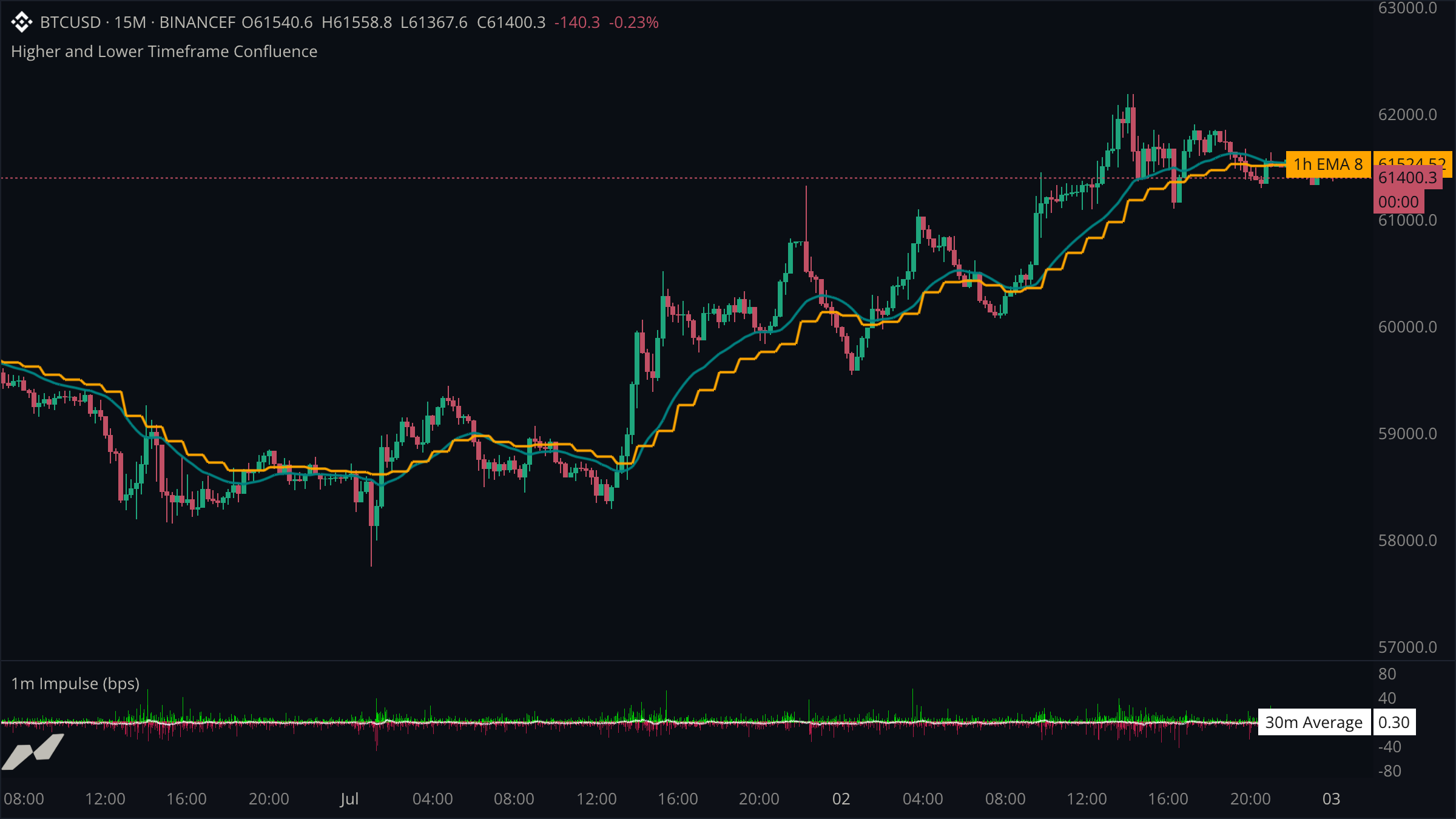
This example combines three independent candle clocks. One-minute candles drive the impulse pane, the active 15-minute chart supplies the trading view, and confirmed one-hour candles provide broader trend context.
script "Higher and Lower Timeframe Confluence"

data chart = subscribe(data.ohlcv, timeframe: tf("15m"))
data minute = subscribe(data.ohlcv, timeframe: tf("1m"))
data hour = subscribe(data.ohlcv, timeframe: tf("1h"))

pane impulsePane = pane(title: "1m Impulse (bps)", height: 0.24)

plot (
  chartTrend = plot.line(
    title: "15m EMA 21",
    color: color.teal,
    width: 2.0,
    showLabel: false,
    showValue: false,
  )
  hourTrend = plot.line(title: "1h EMA 8", color: color.orange, width: 2.0)
  minuteImpulse = plot.histogram(
    title: "1m Return",
    on: impulsePane,
    showLabel: false,
  )
  impulseMean = plot.line(
    title: "30m Average",
    color: color.withAlpha(color.white, 180),
    width: 1.5,
    on: impulsePane,
  )
)

state minuteMoves = rolling<float>(30)

on minute.close {
  let previous = minute.close[1]
  if previous == null || (previous ?? 0.0) == 0.0 {
    return
  }

  let moveBps = ((minute.close ?? 0.0) / (previous ?? 1.0) - 1.0) * 10000.0
  minuteMoves.push(moveBps)
  minuteImpulse.plot(
    moveBps,
    color: moveBps >= 0.0 ? color.withAlpha(color.green, 190) : color.withAlpha(color.red, 190),
  )
  impulseMean.plot(minuteMoves.avg())
}

on chart.update {
  chartTrend.plot(ta.ema(chart.close, 21))
  let hourlyAverage = ta.ema(hour.close, 8)
  hourTrend.plot(hourlyAverage)
}
Give lower-timeframe work its own handler
on minute.close runs once for each confirmed one-minute candle even though the host chart is 15 minutes. The histogram therefore retains the information that would be lost by calculating only from host candles.
Read higher-timeframe context from the chart clock
The one-hour EMA changes only when its source confirms, but plotting it from on chart.update carries the latest confirmed value across the active chart. The stepped orange line makes that confirmation cadence visible.
Lower-timeframe handlers emit more rows
One-minute handlers produce fifteen times as many values as a 15-minute handler. A separate pane keeps this output off the price scale. capacity: limits keyed rows, not time-series plots; choose the source timeframe to control how much time-series output the script produces.