

MTF dashboard
Summarize trend state across three timeframes in a table window driven by one script.
This example shows a trend table with one row per timeframe. It updates the rows whenever a chart bar closes.
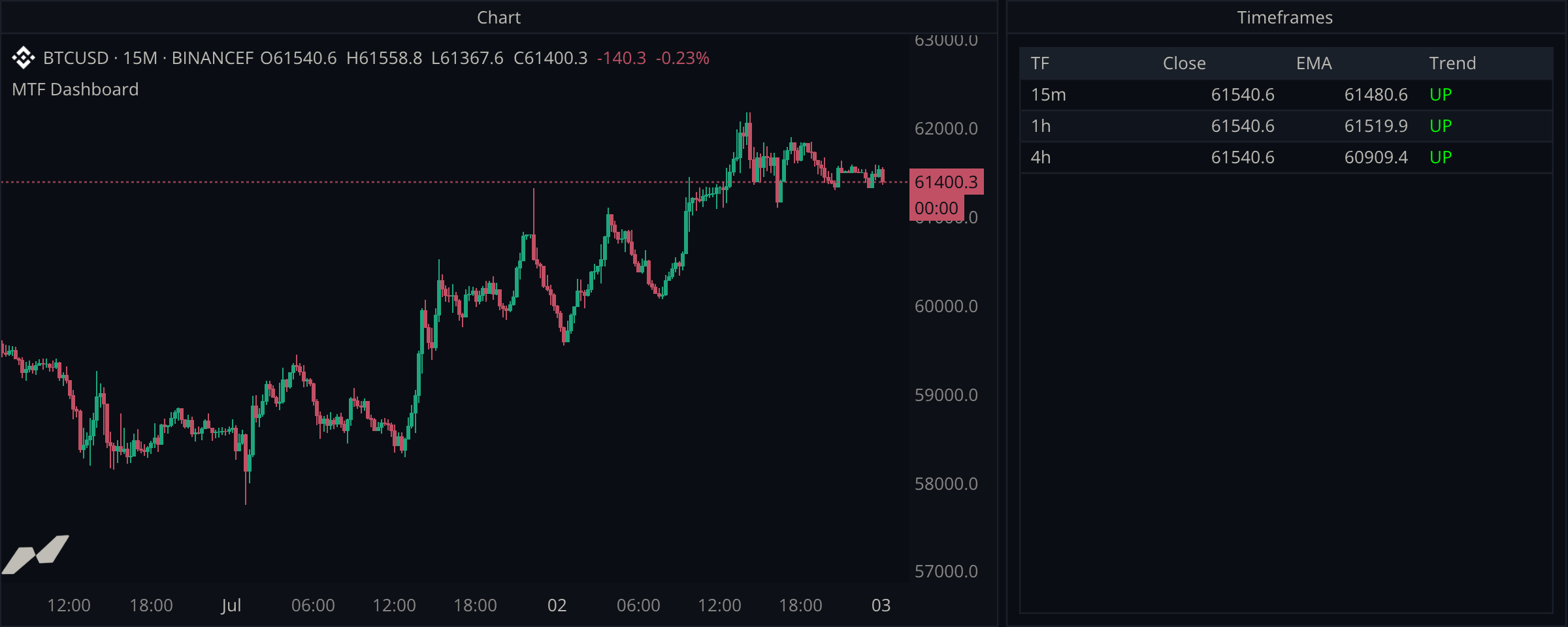
script "MTF Dashboard"

data chart = subscribe(data.ohlcv)
data h1 = subscribe(data.ohlcv, timeframe: tf("1h"))
data h4 = subscribe(data.ohlcv, timeframe: tf("4h"))

input emaLen = input.int(8, title: "EMA Length", min: 2, max: 100)

window dash = window(title: "Timeframes") {
  tbl: table.new([
    table.col(title: "TF"),
    table.col(title: "Close", align: align.right),
    table.col(title: "EMA", align: align.right),
    table.col(title: "Trend"),
  ], title: "Trend Board", capacity: 4),
}

fn upsert(rowKey: string, tag: string, close: float?, ema: float?) {
  if close == null || ema == null {
    dash.tbl.row(rowKey, tag, "...", "...", table.cell("WARMUP", fg: color.gray))
    return
  }
  let up = (close ?? 0.0) >= (ema ?? 0.0)
  dash.tbl.row(rowKey,
    tag,
    str.format("{0:.1}", close ?? 0.0),
    str.format("{0:.1}", ema ?? 0.0),
    table.cell(up ? "UP" : "DOWN", fg: up ? color.green : color.red))
}

on chart.close {
  upsert("1", "15m", chart.close, ta.ema(chart.close, emaLen))
  upsert("2", "1h", h1.close, ta.ema(h1.close, emaLen))
  upsert("3", "4h", h4.close, ta.ema(h4.close, emaLen))
}
Format rows with one helper
The upsert helper formats each row, chooses its trend color, and shows a placeholder when more history is needed. To add a timeframe, declare its subscription and call the helper for it.
Show when more history is needed
The 4h EMA needs enough bars before it can return a value. The WARMUP cell tells the user that the row is waiting for history.
Length is in bars of each timeframe
ta.ema(h1.close, 8) averages eight 1h bars, while the same length on the chart series averages eight 15m bars. The shared emaLen input deliberately means "8 bars of whatever timeframe the row shows"; use separate inputs if you want equal wall-clock spans instead.