

Market stats table
Summarize live market conditions in a table window with formatted strings and styled cells.
This example shows market statistics in a table beside the chart and updates its rows on every bar close. It uses window, table.new, str.format, time.format, and cell styling.
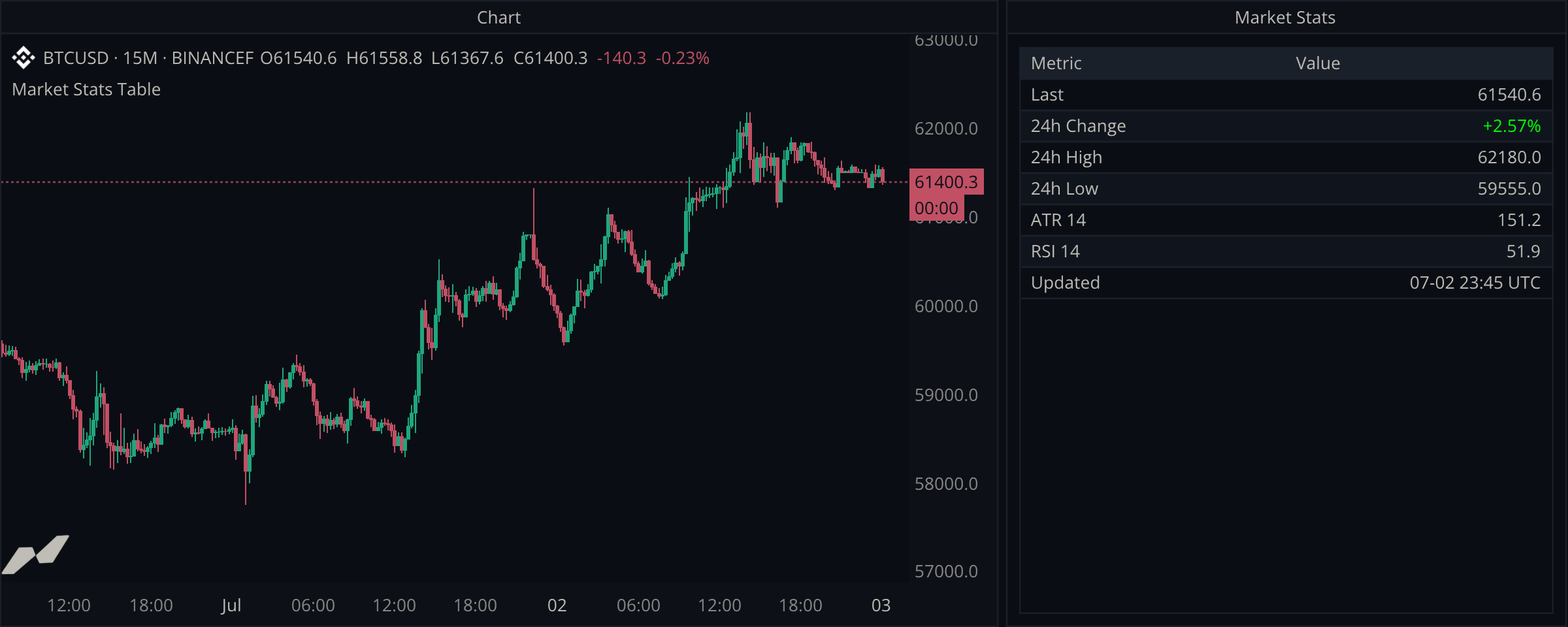
script "Market Stats Table"

data chart = subscribe(data.ohlcv)

input (
  atrLen = input.int(14, title: "ATR Length", min: 1, max: 100)
  rsiLen = input.int(14, title: "RSI Length", min: 2, max: 100)
  // A 24h window on a 15m chart is 96 bars. TA window lengths must be
  // fixed during setup: a literal, a const, or an input like this.
  day = input.int(96, title: "Day Window (bars)", min: 1, max: 500)
)

window dash = window(title: "Market Stats") {
  tbl: table.new([
    table.col(title: "Metric"),
    table.col(title: "Value", align: align.right),
  ], title: "Snapshot", capacity: 8),
}

on chart.close {
  let close = (chart.close ?? 0.0)
  let change = ta.change(chart.close, day)
  let changePct = (change ?? 0.0) / (close - (change ?? 0.0)) * 100.0
  let up = (change ?? 0.0) >= 0.0

  // Rows display sorted by key, so a numeric prefix pins the order.
  dash.tbl.row("1", "Last", str.format("{0:.1}", close))
  dash.tbl.row("2", "24h Change",
    table.cell(str.format("{0:+.2}%", changePct), fg: up ? color.green : color.red))
  dash.tbl.row("3", "24h High", str.format("{0:.1}", ta.highest(chart.high, day) ?? 0.0))
  dash.tbl.row("4", "24h Low", str.format("{0:.1}", ta.lowest(chart.low, day) ?? 0.0))
  dash.tbl.row("5", str.format("ATR {0}", atrLen), str.format("{0:.1}", chart.atr(atrLen) ?? 0.0))
  dash.tbl.row("6", str.format("RSI {0}", rsiLen), str.format("{0:.1}", ta.rsi(chart.close, rsiLen) ?? 0.0))
  dash.tbl.row("7", "Updated", time.format((chart.time ?? time.fromUnixSeconds(0)), "{MM}-{DD} {HH}:{mm} UTC"))
}
Tables live in windows
A window is a surface beside the chart, declared with the widgets it contains. This one holds a single table with two columns; the second column right-aligns because numbers scan better that way.
Add or update rows by key
row(key, cells...) adds a row or replaces the row with that key. Rows appear in key order. Numeric string keys keep the metrics in the intended order; using metric names would sort them alphabetically.
Format values for display
All numeric formatting happens in the row calls with str.format. Calculations stay in floats until the moment they become display text, and table.cell adds color only where it carries meaning, on the signed change.
Update once per completed bar
The handler runs on chart.close because a summary table only needs to change once per bar. Use on chart.update when intrabar responsiveness matters.